
Productivity Intelligence

See work as it happens, not after the deadline.

Live Operations

Live visibility that helps managers move sooner.

01

Capture active time

Keep hours, attention and active delivery visible while projects are still moving.

02

Read workload pressure

See when capacity shifts and when a team needs help before the backlog grows.

03

Compare against deadlines

Match current progress against milestones instead of waiting for manual status updates.

04

Respond with confidence

Use clear signals to rebalance ownership, timing or priorities faster.

Execution Impact

Where realtime productivity changes day-to-day execution.

CapacityUnderstand whether work is balanced or drifting toward overload.
ProgressWatch active movement across teams, tasks and projects.
RiskSpot the places where delivery timing is softening.
ReportingTurn live activity into clearer summaries and next steps.
Operational Clarity

Use visibility to improve execution instead of chasing reports.

Realtime productivity only matters when it helps teams make better calls. The goal is not to watch people. The goal is to keep delivery healthy, identify pressure early and make operational decisions with less guessing.

  • Monitor live project movement
  • Balance active workload with delivery deadlines
  • Connect hours to actual output and milestones
  • Create cleaner accountability without extra admin
AI Workspace Features

Advanced Tools Built to Move Work Faster

Switch between connected capabilities and see how each one supports faster execution with real operating context and unique visual examples.

Workload Pulse
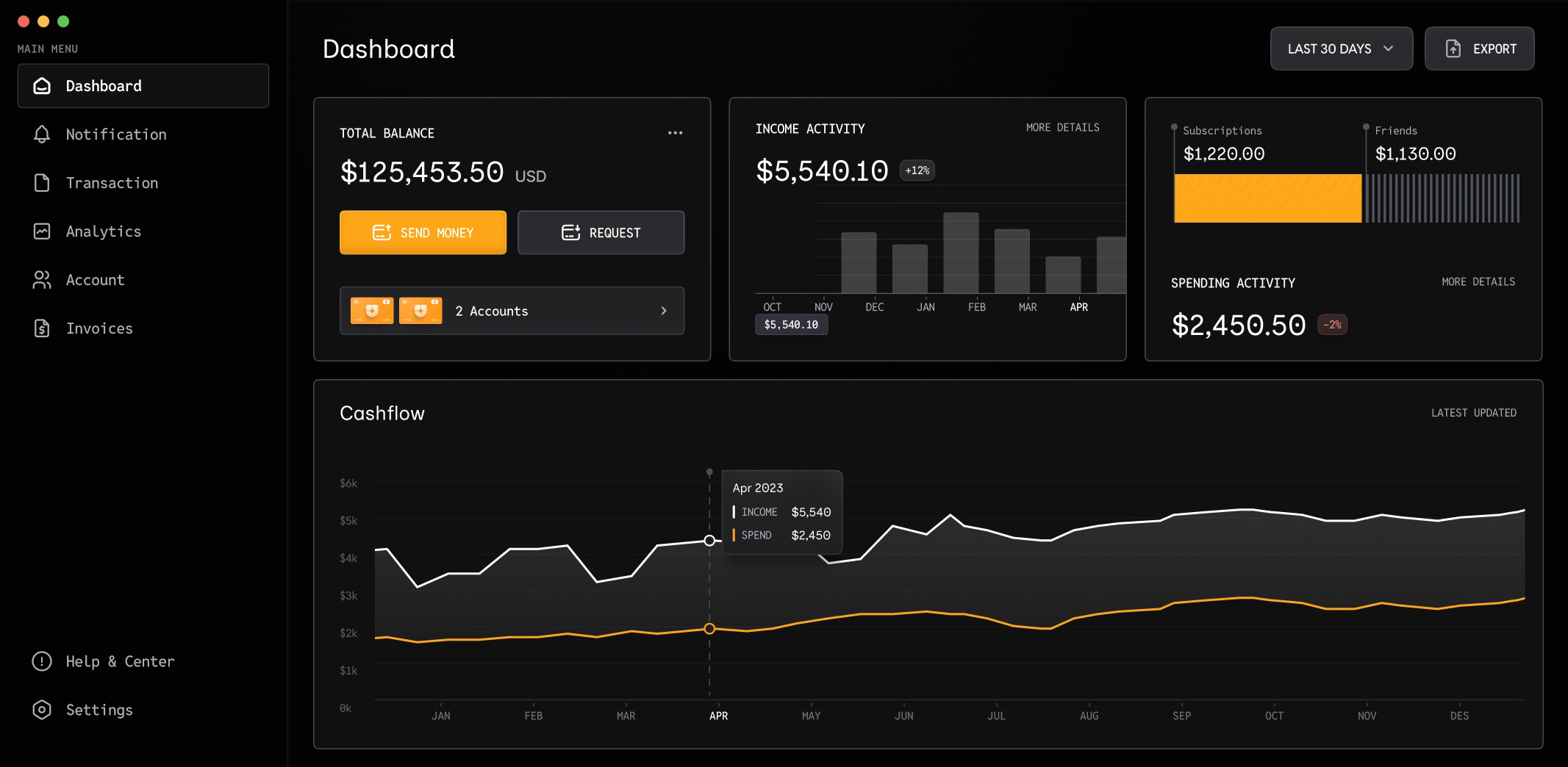
Realtime productivity analytics dashboard

Track live movement across tasks, milestones and active hours from one operating view.

001.

Read project momentum while execution is live.

Use a live board to compare team activity, current workload and delivery status without waiting for the day to finish.

  • Monitor task progress in real time
  • Keep project hours connected to delivery
  • Spot stalled movement earlier
  • Reduce manual status chasing
Explore Features
Working Process

Move from activity to action through one clear sequence.

The strongest productivity layer is the one that helps teams see, interpret and respond without bouncing across separate tools.

01

Track the work

Bring hours, tasks, deadlines and progress into one connected operating layer.

02

Compare the signals

Review workload, output and milestone pressure in the same view.

03

Decide what to change

Adjust assignments, timing or focus based on current activity.

04

Keep delivery moving

Follow the result of each change while work is still in motion.

People collaborating around laptops in a meeting room
Realtime Productivity

Make Faster Moves With Live Visibility

Bring hours, workload and execution signals together so managers can act before issues spread.